Clink
Clean links. Never broken ones.
Clink strips tracking tags such as utm_source, fbclid and gclid from every link you open and skips click-tracking redirects, so you go straight to the page. It removes only known trackers, so links keep working.
It works in Chrome, Firefox and Safari on iPhone, iPad and Mac. It runs entirely in your browser, with no account, analytics or ads, and sends nothing to IA Compa or anyone else.
Chrome · Firefox · Safari
Clink is being submitted to the Chrome Web Store, Firefox Add-ons and the App Store. Install buttons will appear here when each listing is live. Until then, the source code and build instructions are on GitHub.

Highlights
Inside Clink
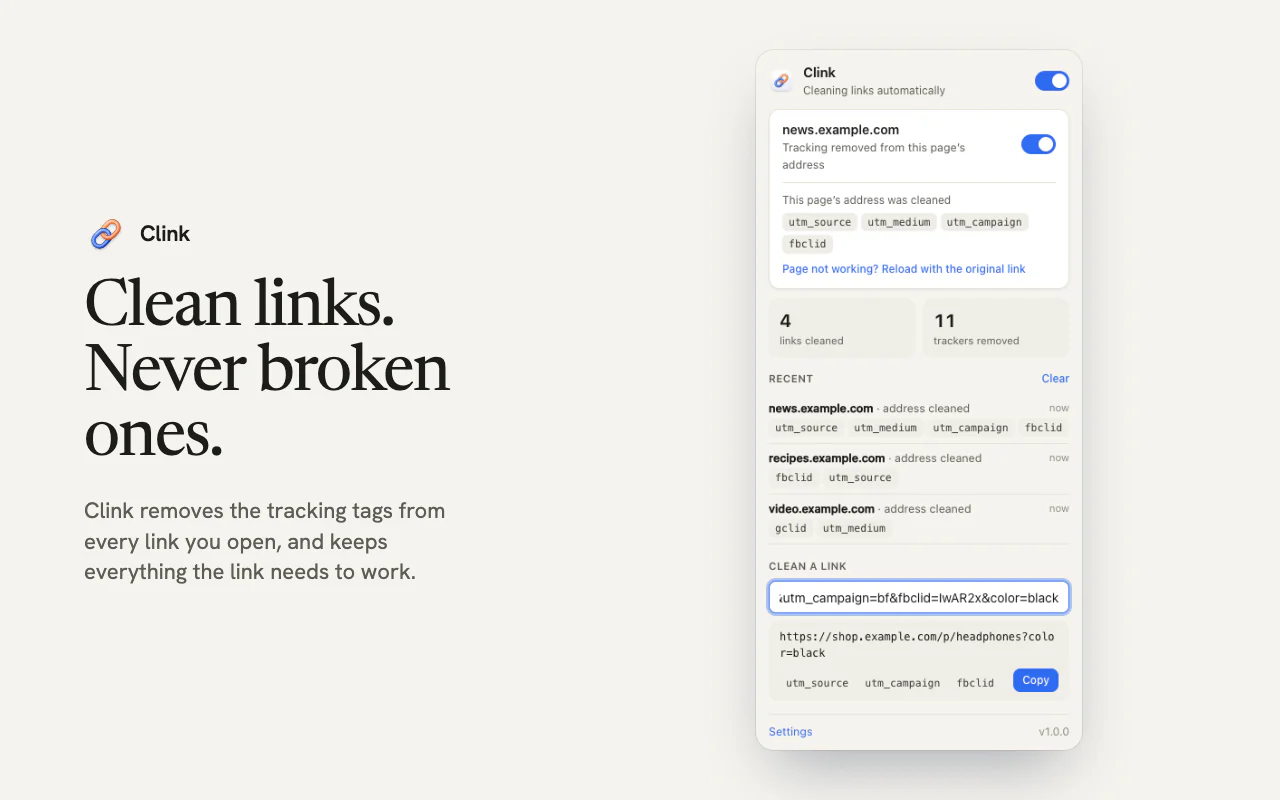
Every link you open, cleaned
Clink removes utm_ campaign tags, Facebook’s fbclid, Google’s gclid, email trackers like mc_eid, Amazon’s ref= and pd_rd_ tags, YouTube’s si and hundreds more. It cleans links you click, type or paste, links that open from other apps and email, and URLs you copy from a page.
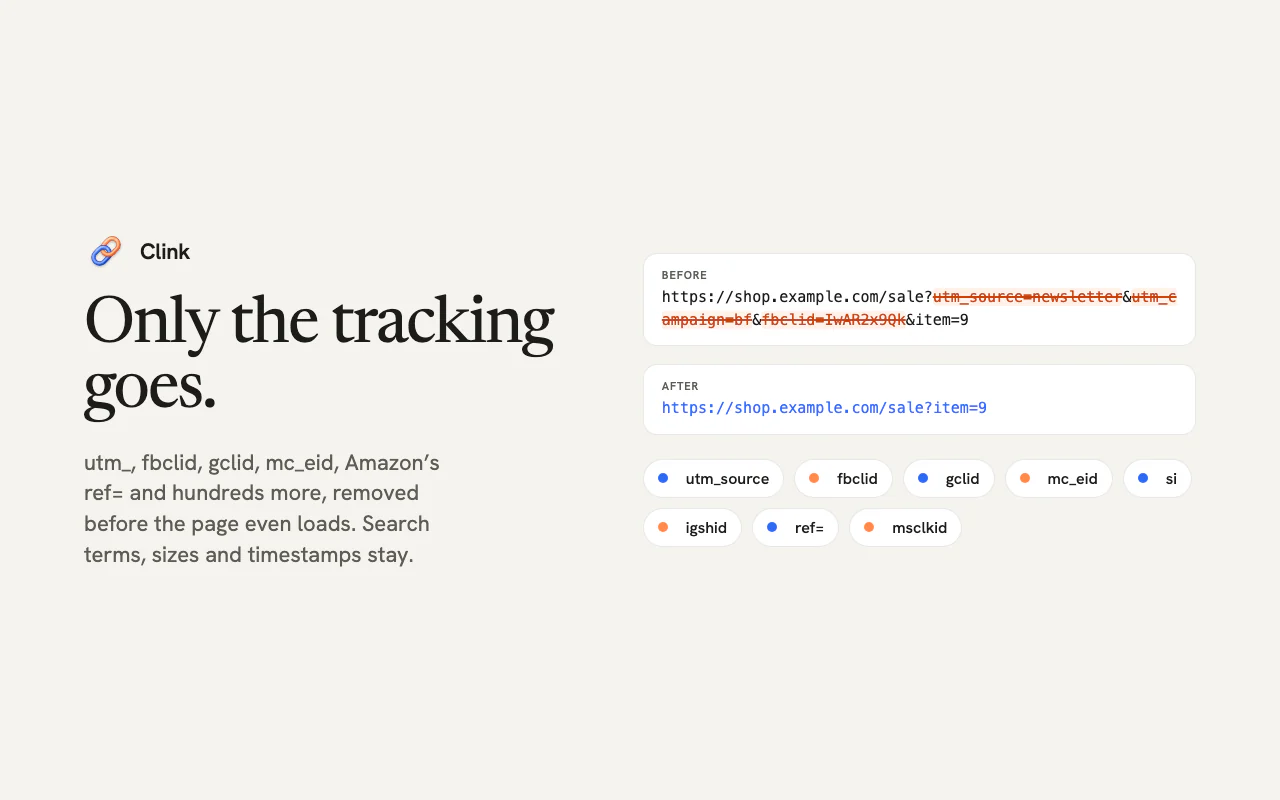
Only known trackers go
Clink never strips everything after the “?”. It removes only parameters on its list of known trackers, so search terms, product options, timestamps, gift links and invite codes stay. Unsubscribe links, sign-in and checkout pages, signed download links and local sites are never touched.
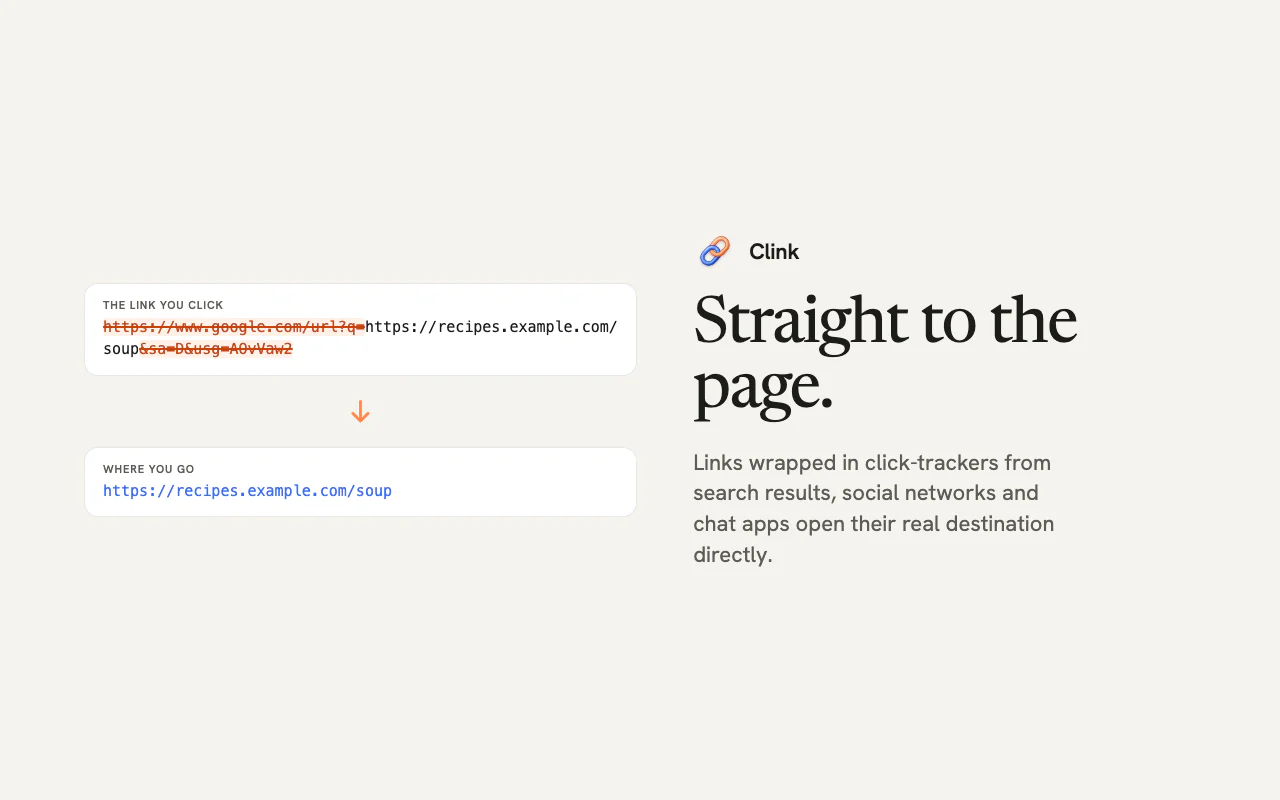
Past redirect trackers
Links wrapped in click-tracking redirects, such as google.com/url and l.facebook.com, open their real destination directly. Corporate link scanners and “you’re leaving this site” warning pages are never skipped; Clink only removes their tracking tags.
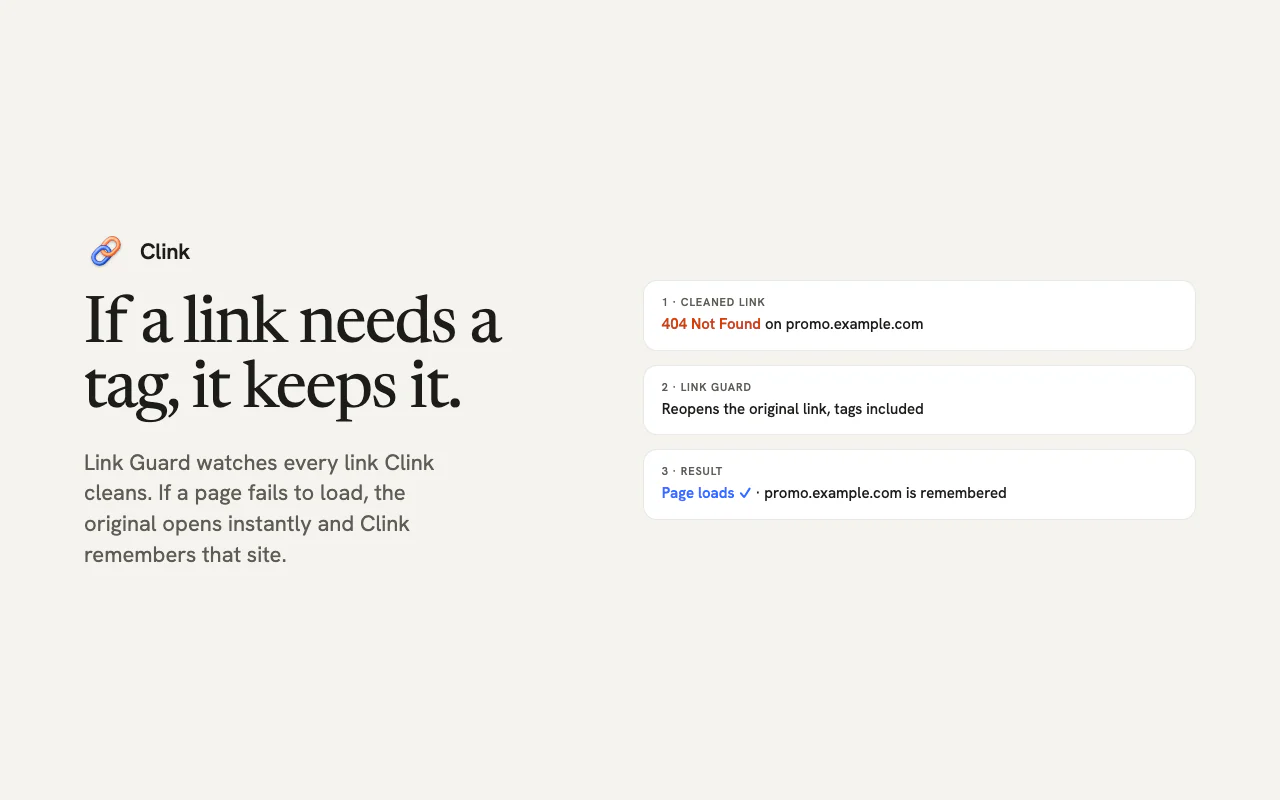
Link Guard in Chrome and Firefox
If a cleaned link fails to load, with an error page or a redirect loop, Link Guard reopens the original link right away and stops cleaning that site. You can see and undo what it learned in Settings. Safari doesn’t give extensions what Link Guard needs, so in Safari you pause a site from the popup instead.
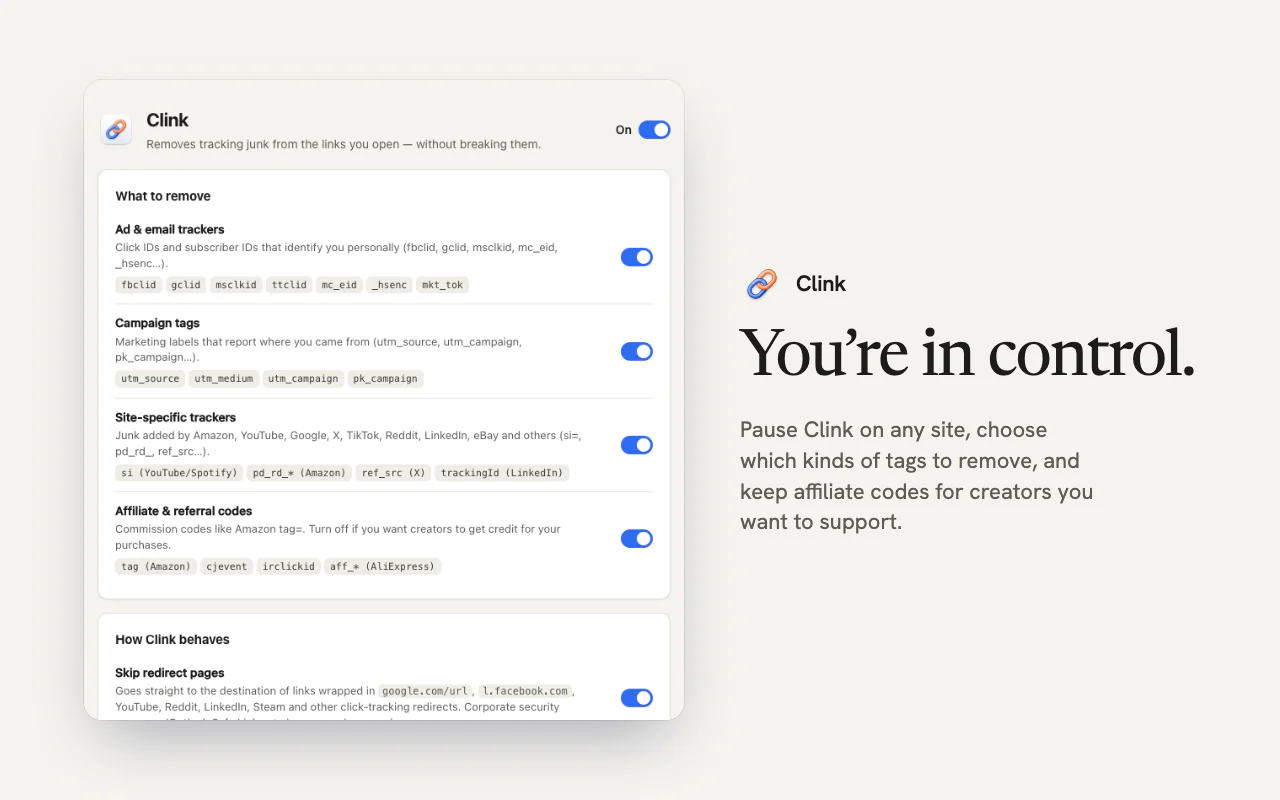
You decide what goes
Pause Clink on any site, choose which kinds of tags to remove, and keep affiliate codes for creators you want to support. The popup shows what was removed from the current page, with “Reload with the original link” one click away.
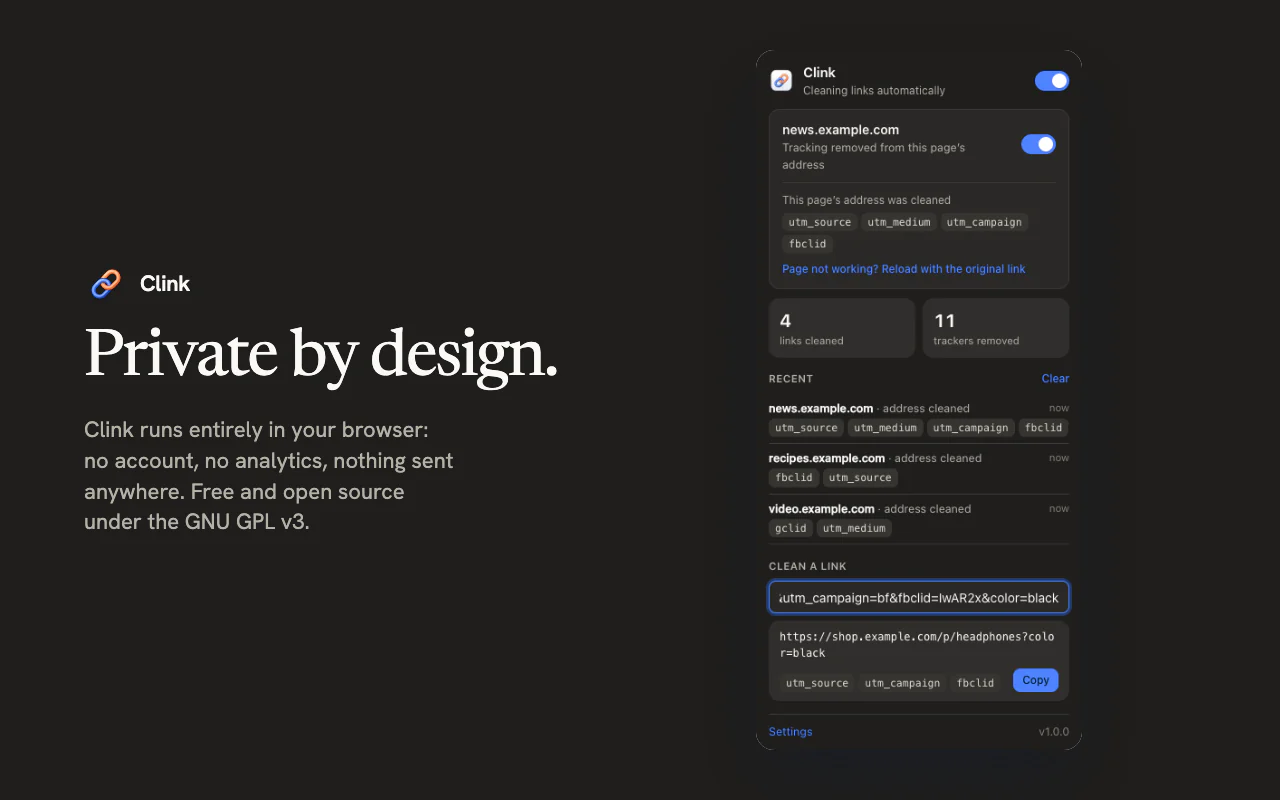
Private by design
Clink runs entirely in your browser. It has no account, analytics, ads or server and makes no network requests of its own. Settings and counters stay on your device, and nothing is sent to IA Compa or anyone else.
More from IA Compa
 DawnamiteGive your next sound room to grow.
 BituabitBit by bit, never back to zero.
 TextiacPrivate messages. No accounts to create.
 SicnoteWrite songs that rhyme, on-device.
 SonediaA multitrack studio in your pocket.
 Theme4LogicFree, open-source color themes for Logic Pro.
 VibiacYour agents, in parallel. Your repo, never in chaos.
 WatowerSee what's really using your Mac's memory, CPU and disk, and get space back safely.
 WasThatHeard a sound? Find the app behind it.
Building something like this?
We build our own apps end to end — and we build them for clients, too. If you have an app idea, let's talk.