Skip to content
IA Compa
Music ProductionAvailableFree + optional Pro

Sonedia

A multitrack studio in your pocket.

Sonedia turns an iPhone or iPad into a focused multitrack studio. Record a take, stack up to 6 synchronized overdub layers, shape each channel, and bounce a finished stereo master without leaving the app.

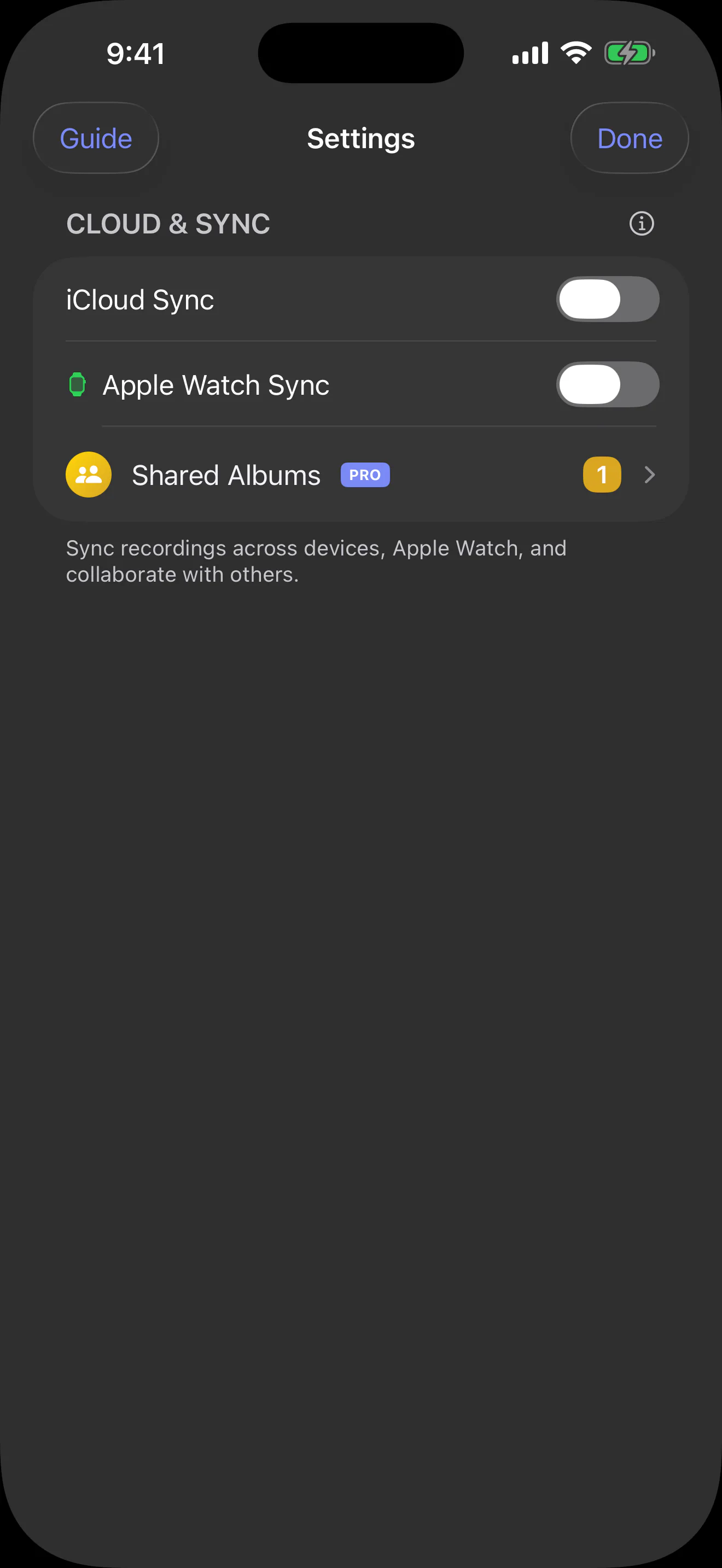
Capture from iPhone, iPad, or Apple Watch. Watch recordings transfer to the paired iPhone, and optional iCloud sync keeps recordings and metadata available on iPad and in the read-only Mac companion at no extra cost.

Core capture stays free. Sonedia Pro unlocks projects, tags, shared albums, up to six overdub layers, editing, effects, mixing, and plan-aware AI audio insights when a take needs to grow.

iOSiPadOSmacOSwatchOS
Pricing: Core recording, every recording-quality preset, ordinary iCloud sync, and Watch transfer are free. Basic Pro ($4.99/month) includes all Pro studio tools and 60 AI audio minutes each month. Premium Pro Monthly ($9.99/month) and Premium Pro Yearly ($59.99/year) include the same tools and 220 AI audio minutes per month.Support: sonedia@iacompa.comLegal: Privacy · Terms · Support
Sonedia app icon
The audio notebook

From first take to finished idea

Sonedia keeps recording, context, transcription, and studio tools together—so an idea can grow without losing the source that started it.
Music ideas
Lyrics & voice notes
Lectures
Interviews
Podcast sessions
Original-preserving records
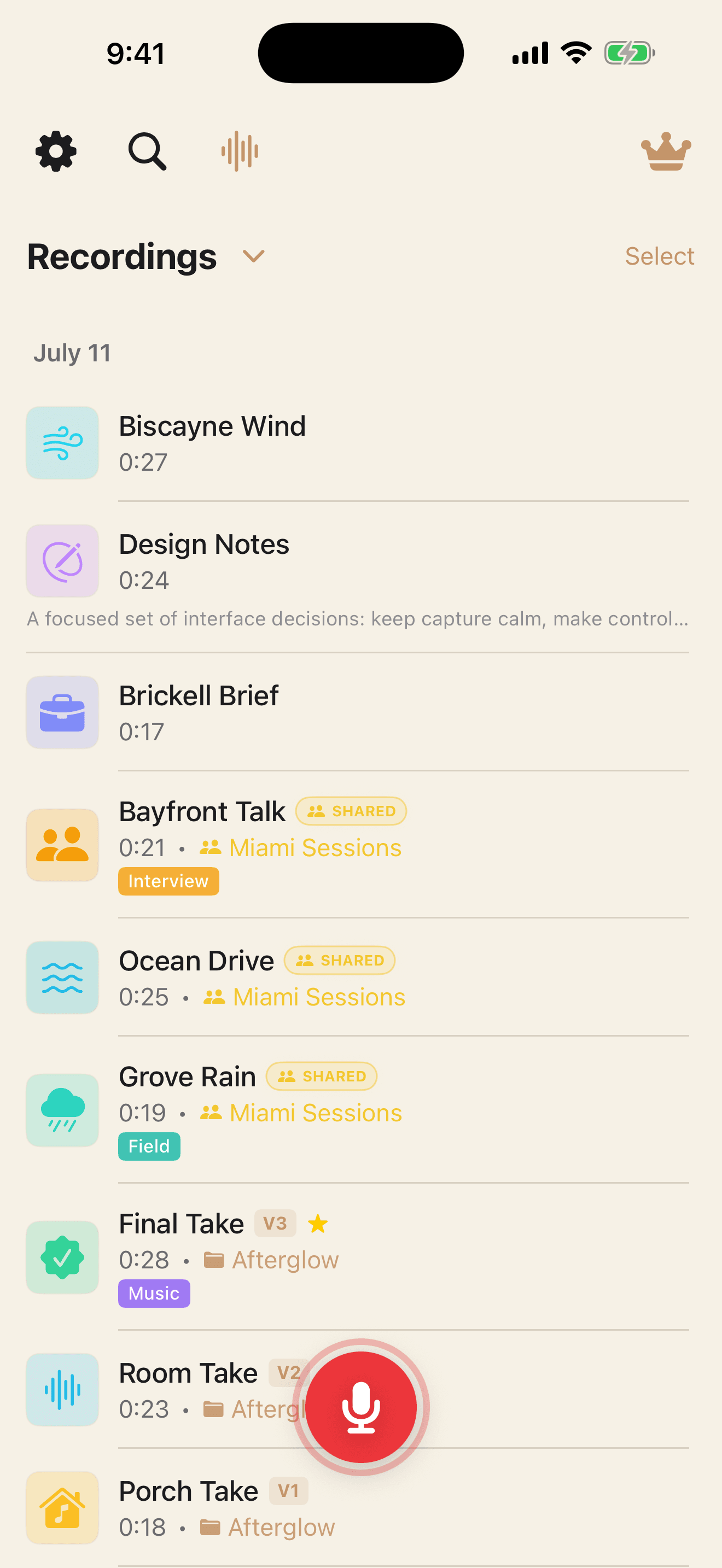
Sonedia recordings notebook showing organized audio captures
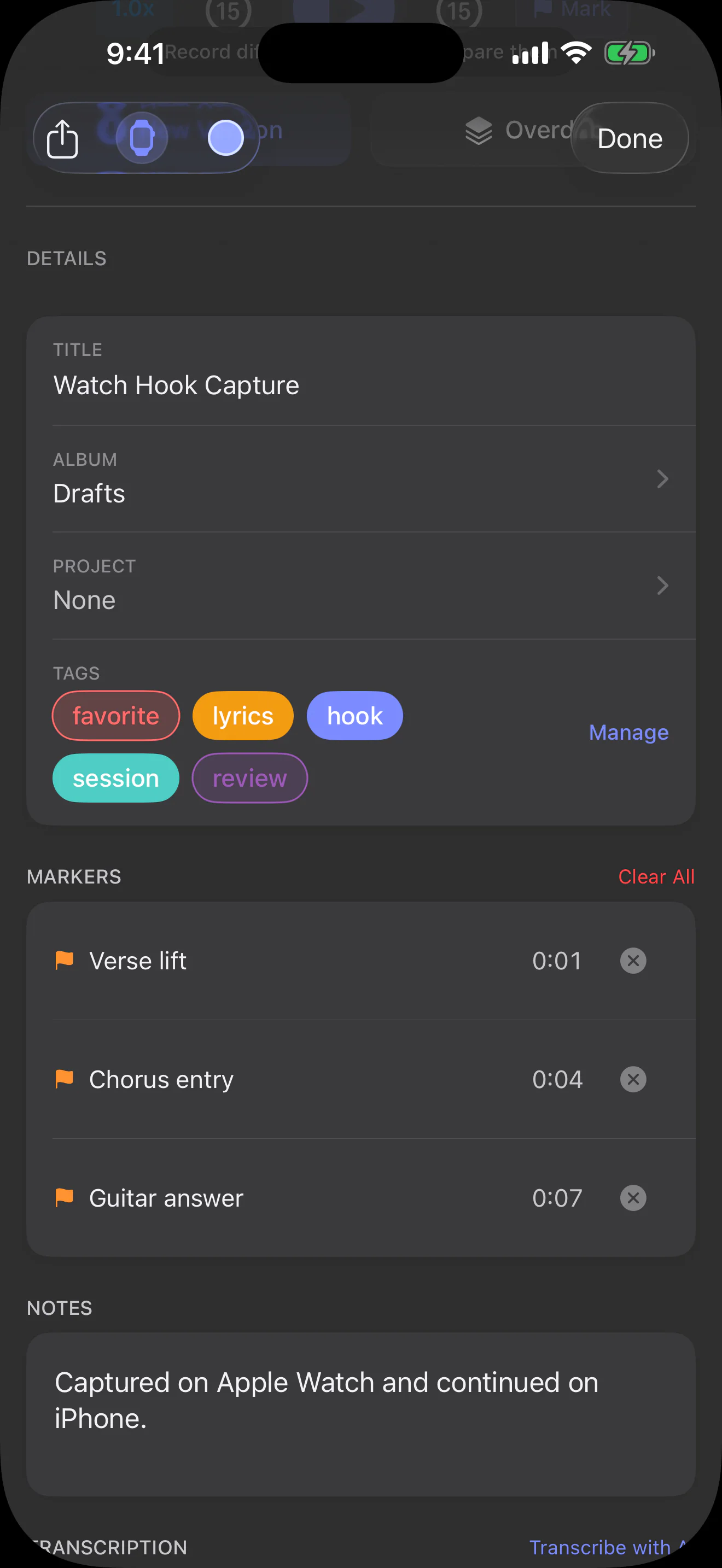
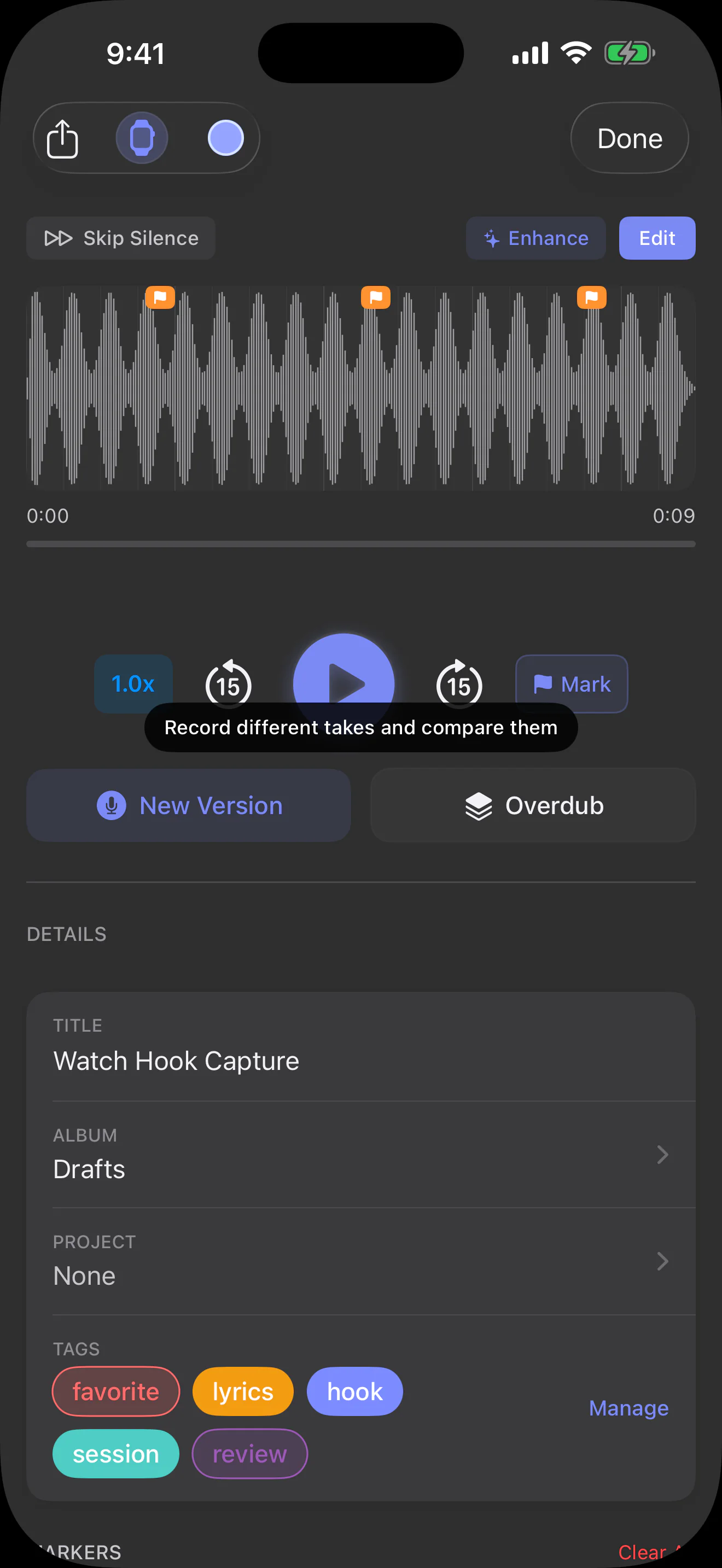
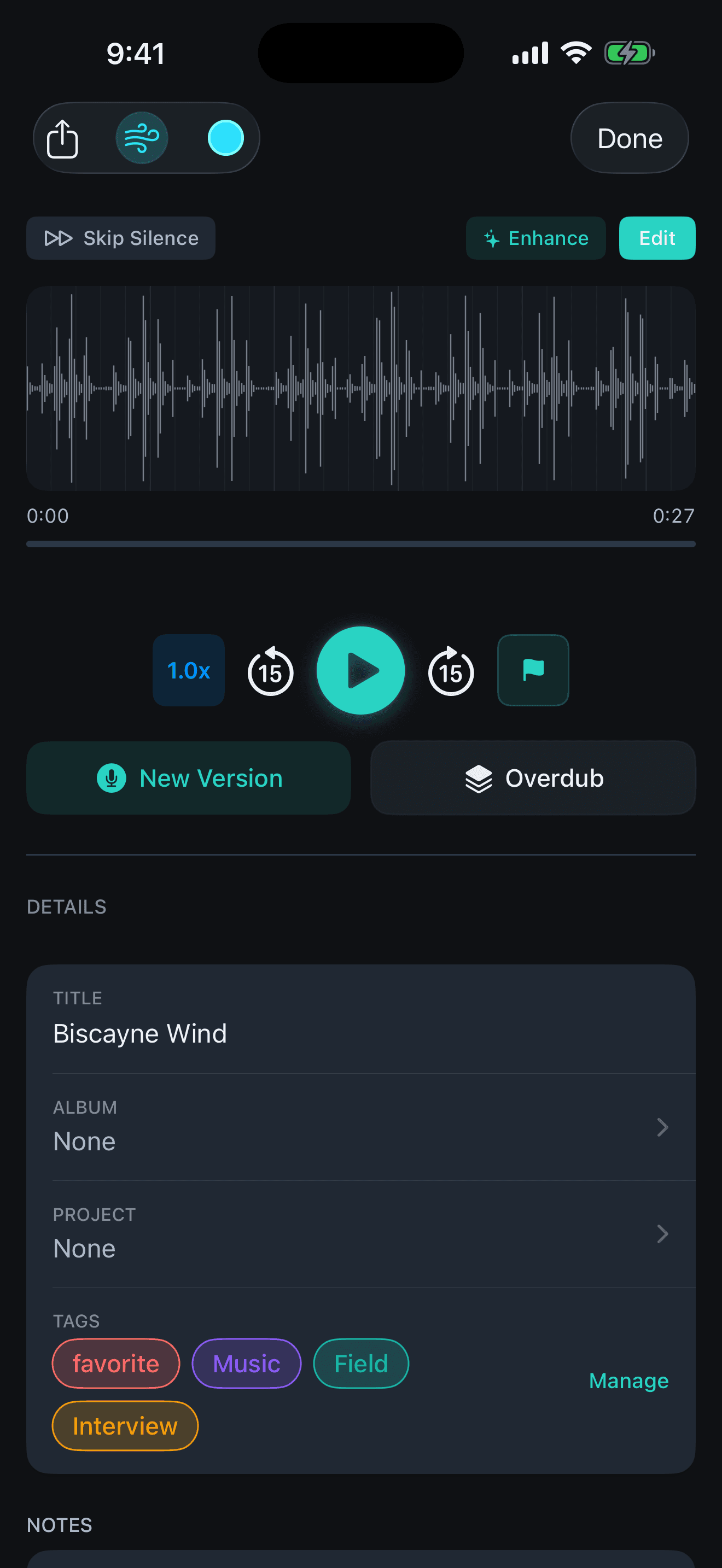
Sonedia recording detail with waveform, markers, versions, overdub, tags, and editing controls

Current iPhone build shown with real Sonedia sessions and waveforms.

Made for your grip

Put record where your thumb expects it.

Drag Sonedia's record button to a comfortable place. The app keeps it visible at every edge and remembers the position for next time.

Interactive preview — this webpage does not record audio.

Sonedia recordings screen used for the movable record button preview

Drag more than five pixels to move. Arrow keys move eight pixels, Shift plus an arrow key moves twenty-four pixels, and Home resets the position.

Record button is at its default position.

A simple flow

Capture now. Add context. Develop when ready.

The core recording stays safe while every note, transcript, edit, and mix helps you move the work forward.

01

Capture

Record on iPhone or Apple Watch. Automatic on-device transcription is available to everyone and can be turned off.

02

Organize

Add notes, markers, and transcripts, then use Pro projects and tags to keep a larger library easy to navigate.

03

Build

Unlock Pro to overdub up to six layers, edit, mix, master, and collaborate without leaving the session.

Real Sonedia screens

See the session, not a staged mockup

These are current App Store captures with real waveforms, varied sessions, collaboration, transcripts, and map context.

Sonedia overdub timeline showing a base take and three visible waveform layers
Multitrack overdub

01 / 05

Sonedia channel mixer with level, pan, solo, effects, and master controls
Mixer & master

02 / 05

Sonedia map showing recordings captured across Miami
Map memory

03 / 05

Sonedia Shared Album with collaborators, recordings, and roles
Shared Albums

04 / 05

Sonedia timed transcript linked to recording playback
Timed transcript

05 / 05

Made for iPad

More room for the whole story

Projects, versions, notes, and real waveforms get a spacious iPad workspace. Compare related takes, mark the best one, and keep the full session in view.

Project versions

Keep V1, V2, and V3 together and mark the take that wins.

Real waveforms

See the timing and shape of every recorded take without a decorative placeholder.
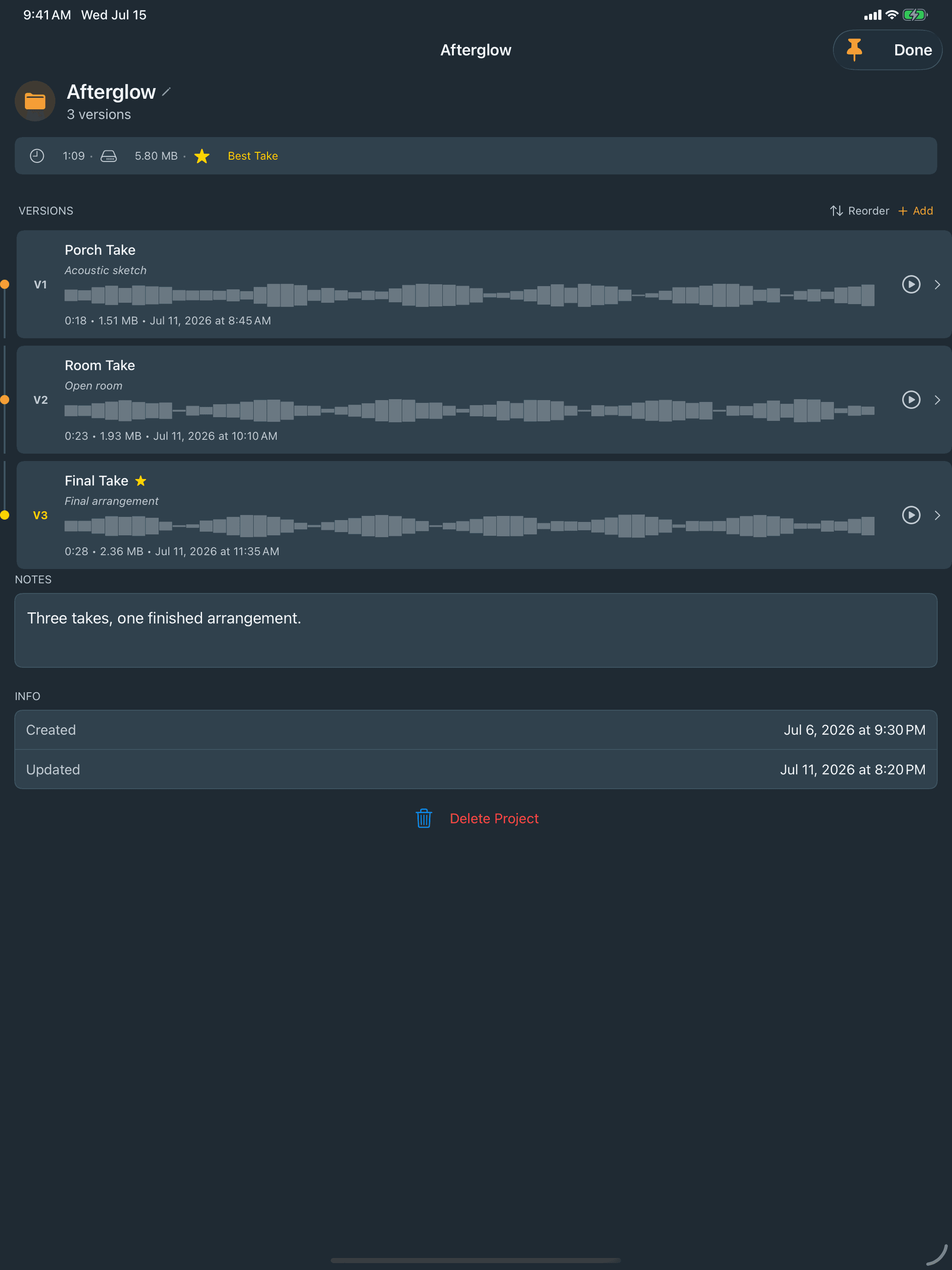
Sonedia on iPad showing the Afterglow project, three waveform versions, notes, and a selected best take
Sonedia on Apple Watch

Capture the idea before it gets away

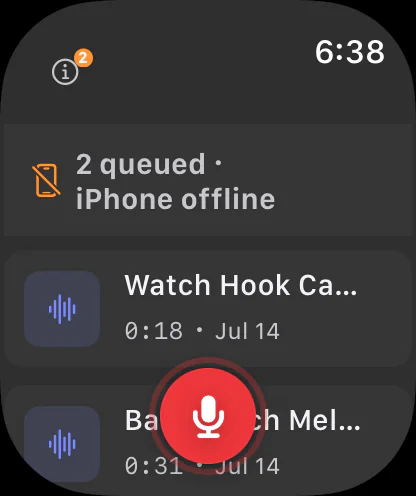
Record from your wrist with a live timer and waveform. The finished take transfers to the paired iPhone with its Watch origin preserved, then optional iCloud sync can carry it to iPad and Mac.

Wrist capture

Record without reaching for your phone.

Automatic handoff

Move the finished take into your paired iPhone library.

Origin preserved

Keep the Watch source marker with the recording.
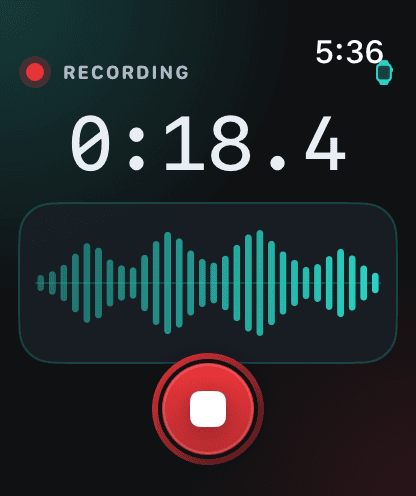
Sonedia Watch recording screen with a live waveform, elapsed timer, and stop control
Sonedia for macOS

Your recording library, ready for the desktop.

The focused Mac companion brings recordings from iPhone, iPad, and Apple Watch into one spacious, read-only library. Search and play a take, revisit its saved location, or drag the original audio directly into Finder, Logic Pro, or another DAW.

Find the take

Search titles, notes, transcripts, and Watch-origin recordings.

Revisit the place

See recordings with saved locations together on the map.

Drag the original

Move the source audio into Finder, Logic Pro, or another DAW.

Sonedia for Mac showing a synced recording library, waveform playback, metadata, and transcript
Library, playback, and transcript
Sonedia for Mac showing recordings placed across the Miami map
Recording map

The Mac companion is intentionally for viewing, playback, maps, and export. Recording, overdubs, effects, and editing stay on iPhone and iPad.

Make it yours

Choose from 7 DAW-inspired themes

Keep the same focused audio notebook while choosing the visual workspace that feels right for your sessions.

Sonedia recordings library using the System theme
System
Sonedia recordings library using the Violet Circuit theme
Violet Circuit
Sonedia recordings library using the Cream theme
Cream
Sonedia recordings library using the Blueprint theme
Blueprint
Sonedia recordings library using the Sunburst theme
Sunburst
Sonedia recordings library using the Mint Tape theme
Mint Tape
Sonedia recordings library using the Dynamite theme
Dynamite

Swipe or scroll to see every theme. The gallery never advances on its own.

Free core. Optional Pro.

Start recording first. Add the studio when you need it.

Recording quality, iCloud library sync, and Apple Watch transfer stay free. A Sonedia Pro plan unlocks the deeper production workflow and a securely enforced monthly AI audio allowance.

Free

Capture without a subscription.

  • Core recording and playback on iPhone and iPad
  • Every recording-quality preset
  • Searchable transcripts linked to recording playback
  • Audio export for sharing or moving work into another app
  • Proof receipts: SHA-256 is computed on-device; completion uses an iCloud server timestamp and requires connectivity
  • Optional ordinary iCloud library sync
  • Apple Watch recording and automatic transfer to the paired iPhone
  • Read-only Mac companion for playback, maps, search, and original-audio export
  • No cloud AI processing or AI audio minutes

Sonedia Pro

Develop the take into a session.

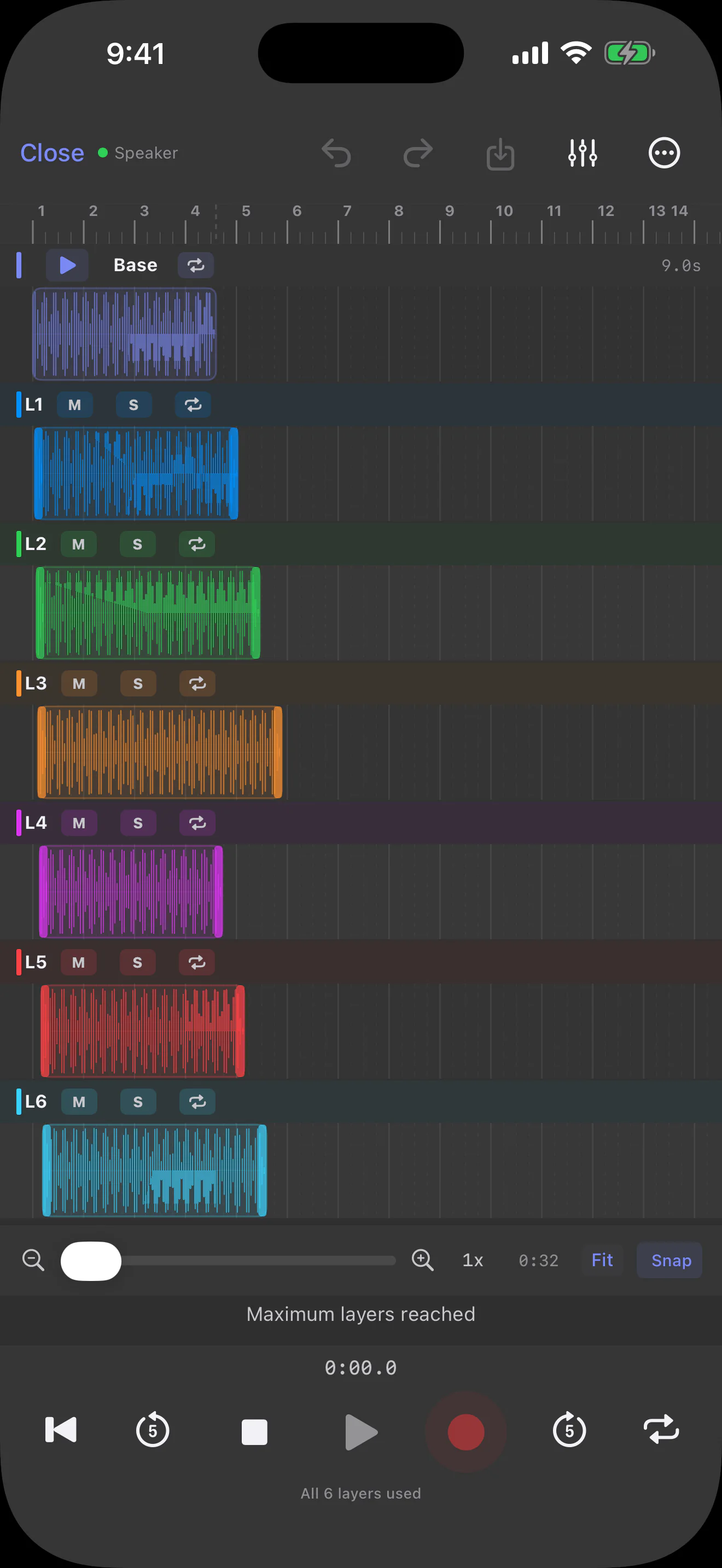
  • Up to six synchronized overdub layers
  • Projects, tags, smart filters, and automatic icons
  • Editing, metronome, live effects, mixer, and mixdown
  • Shared Albums with collaboration controls

Basic Pro Monthly

$4.99/month

All Pro studio tools plus 60 AI audio minutes each month.

Premium Pro Monthly

$9.99/month

The same Pro studio tools plus 220 AI audio minutes each month.

Premium Pro Yearly

$59.99/year

The same Pro studio tools plus 220 AI audio minutes per month, billed yearly.

AI audio usage is verified against the active App Store subscription and enforced on Sonedia's production service. Minutes reset with each monthly quota period and do not roll over. An eligible introductory trial includes 10 total AI audio minutes.

Keep the source

Edits, enhancements, and mixdowns create derived files while the canonical source remains preserved locally.

iCloud for everyone

Optional private iCloud library sync is available to every user through their own Apple account.

Your work stays playable

Recordings, projects, and exported files stay available without a separate Sonedia recording cloud.
Complete studio

More inside Sonedia

A quick inventory of the tools that turn a capture into an organized, finished session.

Up to 6 overdub layers

With Pro, build on a base take with six synchronized layers, then align and refine the full session.
Per-channel mix and master

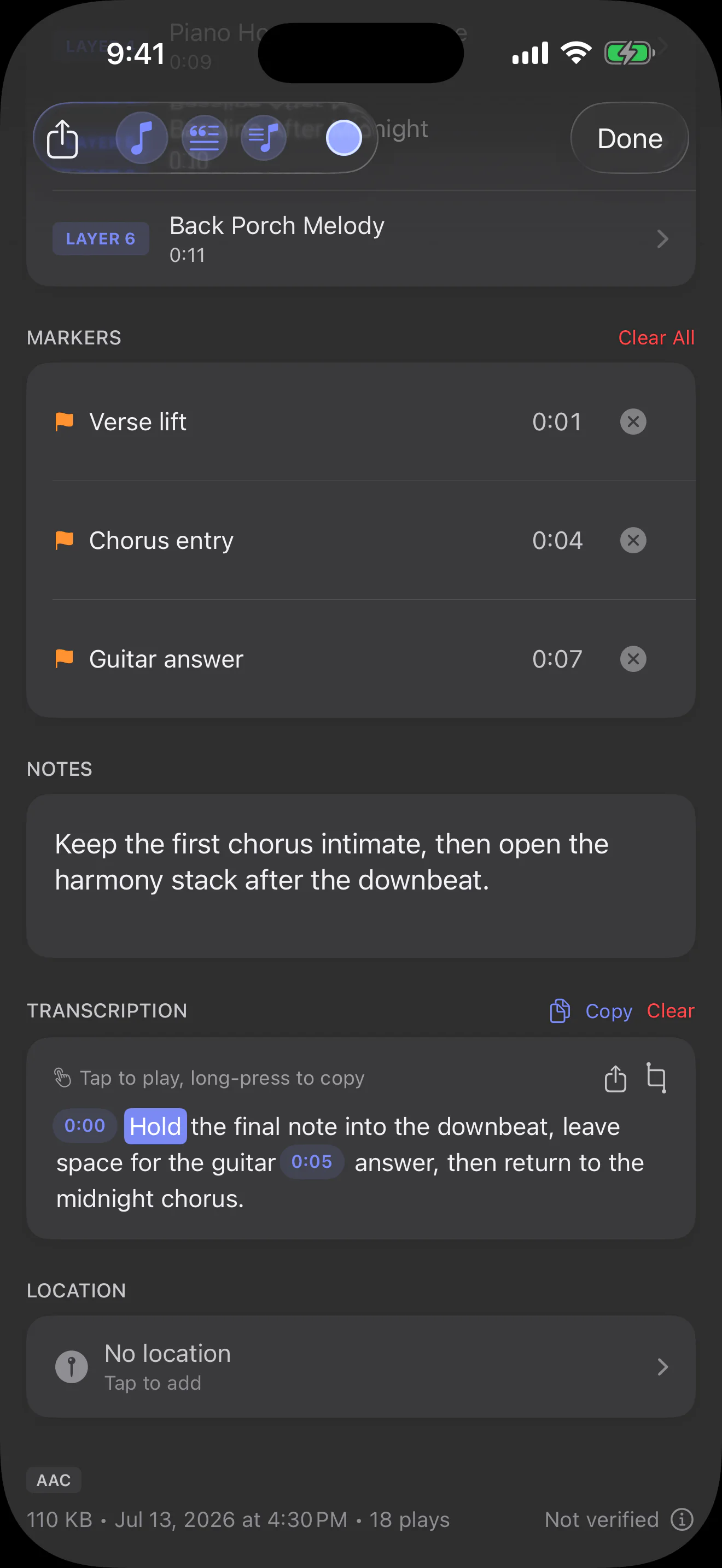
With Pro, control volume, pan, mute, solo, EQ, fades, and effects, then bounce a stereo mixdown.

Searchable transcripts

Turn supported speech into timed text and jump playback close to a recognized cue.
Apple Watch capture

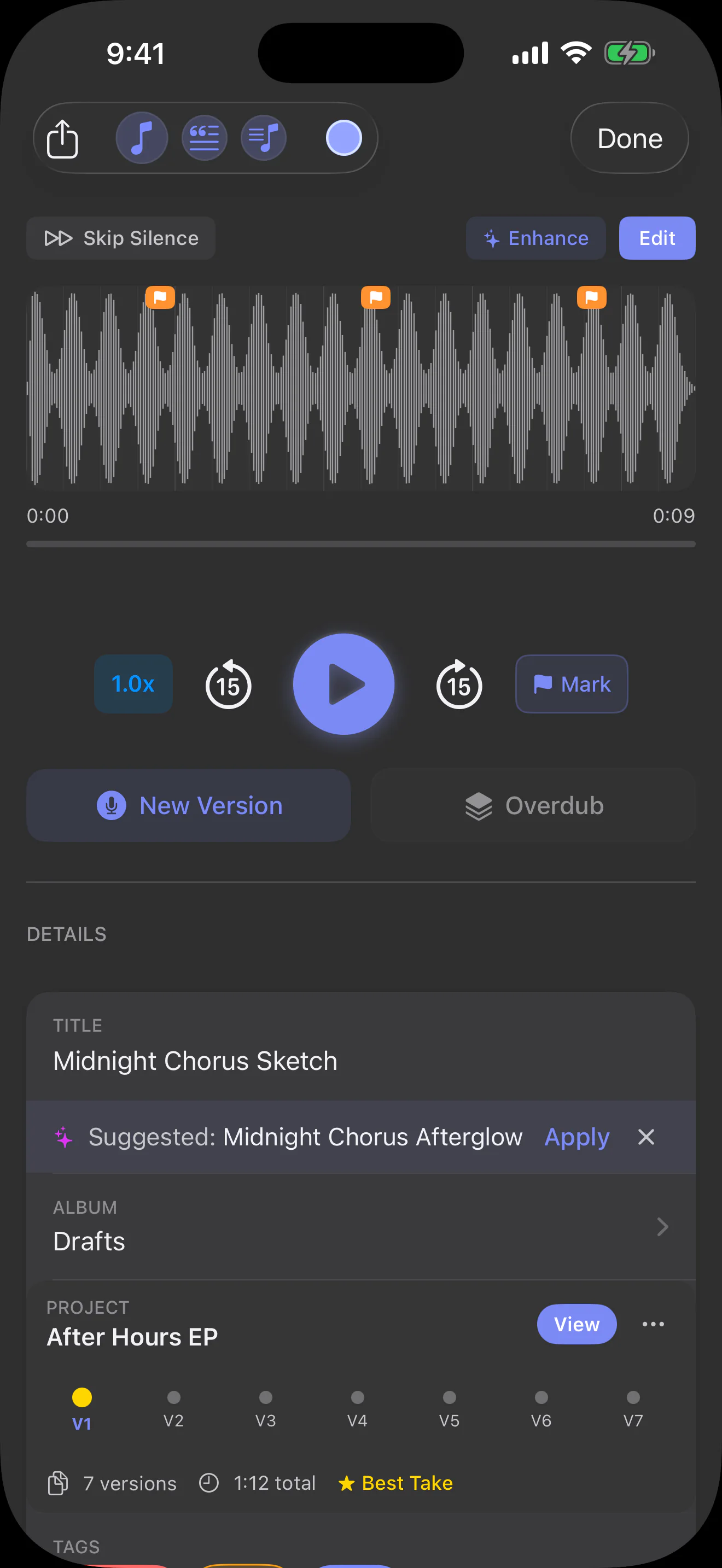
Record from your wrist, transfer the take to the paired iPhone with its Watch origin preserved, and optionally sync it to iPad.

iCloud sync for everyone

Optionally sync your library through your own Apple account with no Sonedia cloud account or Pro requirement.

Studio-ready export

Export WAV, AAC, or ALAC files, or drag an original recording from the Mac companion into Finder, Logic Pro, or another DAW.

Mac companion

Search, play, map, and export the recordings already captured on iPhone, iPad, or Apple Watch without bringing editing tools to the Mac.

Secure AI audio allowances

Basic Pro includes 60 AI audio minutes per month; either Premium Pro plan includes 220 per month. Usage is enforced by Sonedia's production service and does not roll over.

Building something like this?

We build our own apps end to end — and we build them for clients, too. If you have an app idea, let's talk.