Dawnamite
Give your next sound room to grow.
A music production workspace for turning audio, notes, and ideas into arrangements. Development focuses on the native macOS app, with a shared interface designed for a later Windows version.
Coming soon — links will appear here once it ships.

A place for the whole idea.
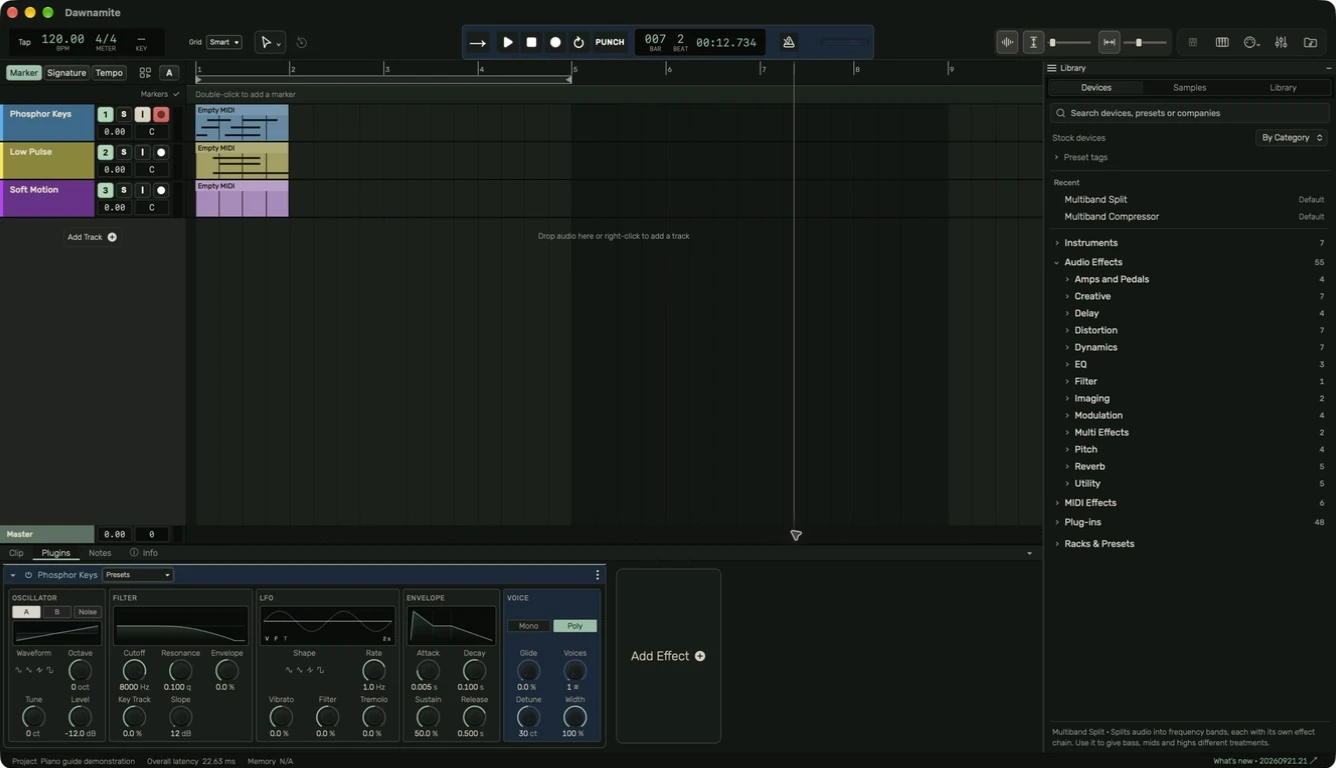
Arrange audio and MIDI in the timeline, shape a sound in the device chain, and keep the details within reach. Explore the current macOS development workspace.
Put an idea in motion
Connect a controller or microphone, create a track, and record a short take.
Explore the workflowGive it a shape
Edit regions and notes, set your key, and use the right tool for each gesture.
Explore the workflowFind its sound
Build a device chain, balance the mixer, and automate the details.
Explore the workflowKnow what every control does.
From a filter cutoff to a compressor’s release, the device reference explains the controls in the current app. Start with a purpose, make one adjustment, and listen.
Explore instruments & effects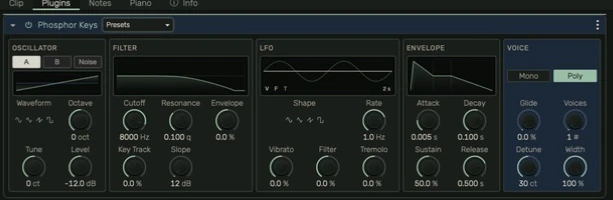
A guide you can actually use.
Find a topic in the sidebar, search for a device, or follow a chapter from start to finish. Real app screenshots show where to go. Contextual help in Dawnamite links straight to the relevant guide.
Open the user guidemacOS first.
Development focuses on the Mac app. Windows is planned afterward with the same interface and workflows.
Current availability
In development
No public installer, release date, or final system requirements yet. Pricing and licensing will be announced before release. Documentation and screenshots describe development behavior; they are not a recording-reliability or compatibility guarantee.
Read the development historyProject data is stored locally in the development app, while Library content and help links can use the network. Read Privacy, Terms, and Third-party notices for the current scope.
Inside Dawnamite
Audio arrangement preview
The development prototype brings audio regions, a timeline, and clip detail into one workspace. Editing behavior and desktop performance are still being tested.
MIDI and instrument development
Note editing and instruments are part of the production workflow under development. The guide explains the current instruments, note editor, controller setup, and device controls.
A closer look at your sound
Waveform detail and project navigation are being refined together, so moving between an arrangement and an individual clip feels connected.
macOS first
The current development app runs on macOS. Windows follows after the Mac version with the same interface and workflows. Public installers and final requirements are not available yet.
Building something like this?
We build our own apps end to end — and we build them for clients, too. If you have an app idea, let's talk.