AvailableMac Utilities
WasThat
Heard a sound? Find the app behind it.
See recent audio activity and notification senders in WasThat. Open an identified app from its result, or review its notifications in macOS settings.
macOS
Version 1.1 · macOS 14.2+ · Developer ID signed
Pricing: Free software under GPL v3.Support: apps@iacompa.comLegal: Privacy · Terms · Support · GPL v3 · Source code
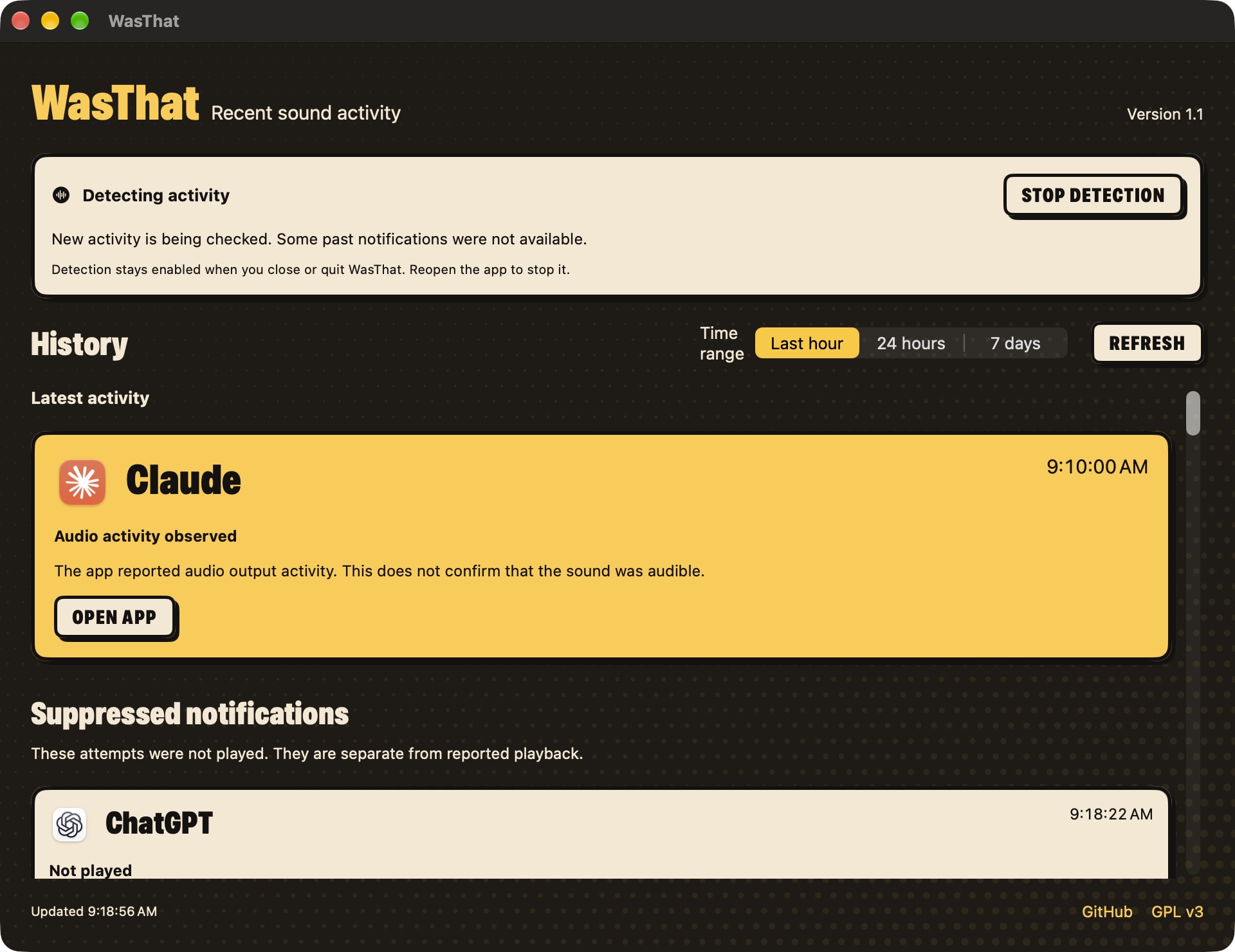
A little context for that mystery sound.
- 1. Start detection. Open WasThat, then choose Start detection if it is off. Allow background activity if macOS asks.
- 2. Check after a sound. Check recent activity in WasThat or its menu bar panel. Open history for the last hour, 24 hours or seven days.
- 3. Go to the source. Choose Open app on an identified result. Notification settings opens the general Notifications page, where you select the app.
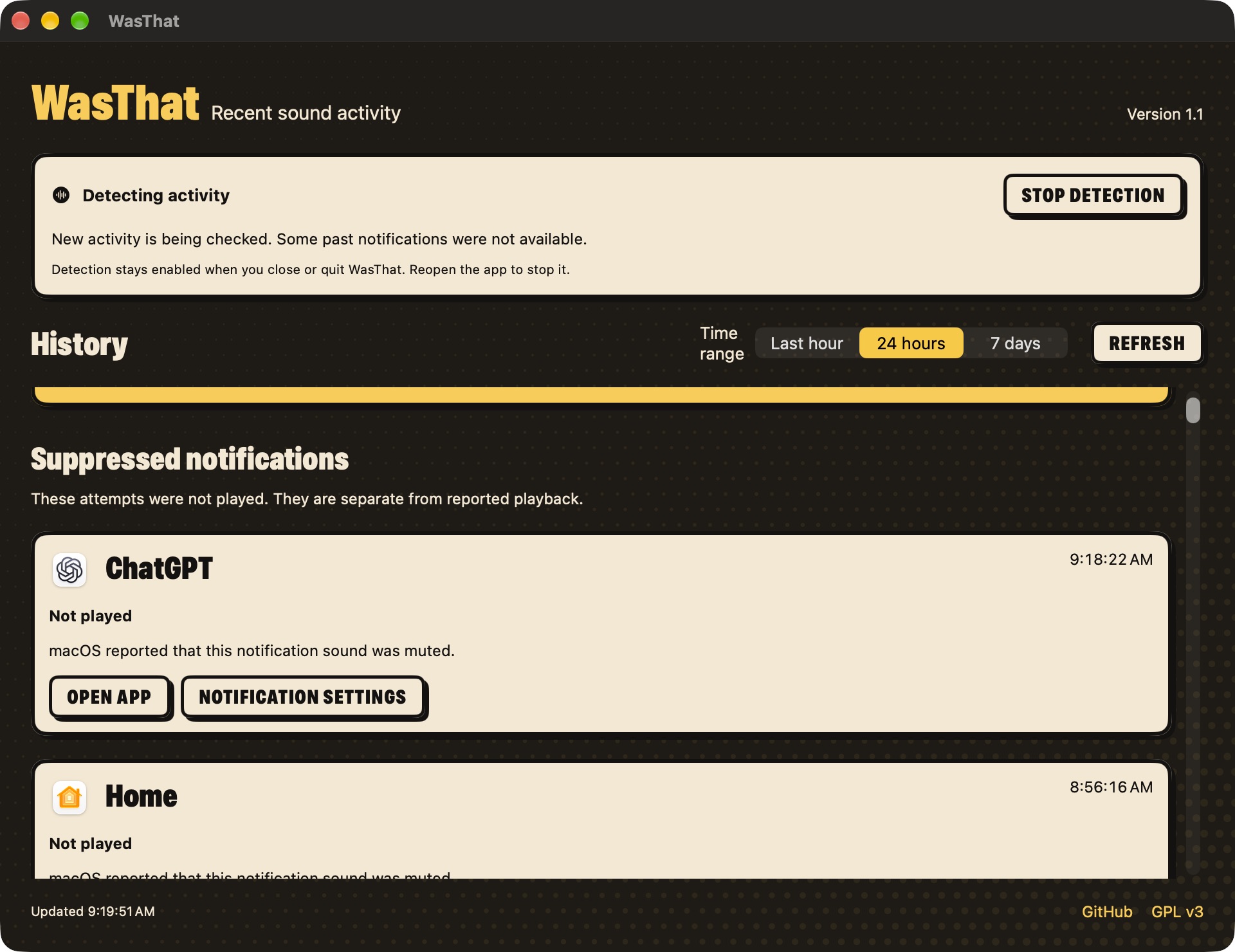
macOS may leave a notification sender unknown. Sounds inside an ongoing audio stream may not create new entries. Activity does not confirm that a sound was audible. These actions cannot reopen the exact notification, message or browser tab.
More from IA Compa
 DawnamiteGive your next sound room to grow.
 BituabitBit by bit, never back to zero.
 TextiacPrivate messages. No accounts to create.
 SicnoteWrite songs that rhyme, on-device.
 SonediaA multitrack studio in your pocket.
 Theme4LogicFree, open-source color themes for Logic Pro.
 VibiacYour agents, in parallel. Your repo, never in chaos.
 WatowerSee what's really using your Mac's memory, CPU and disk, and get space back safely.
 ClinkClean links. Never broken ones.
Building something like this?
We build our own apps end to end — and we build them for clients, too. If you have an app idea, let's talk.