Sound & mix
Library, devices & samples
Find a sound without opening every category.
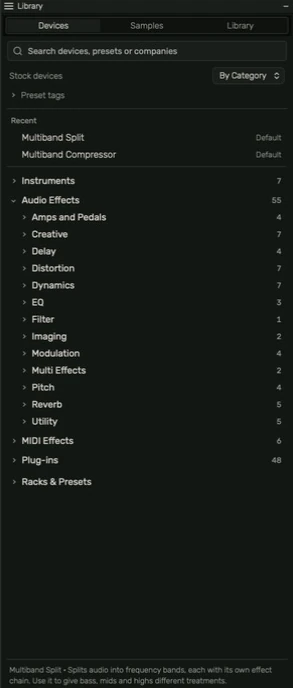
Browse by purpose
Devices contains instruments, audio effects, MIDI effects and installed plug-ins. Categories such as Dynamics, EQ, Filter, Delay and Reverb start collapsed so you can open the part you need. Search narrows the available entries. Recently used items provide a shorter route back to a device.
Add to the right destination
Select a track before adding an effect. An instrument belongs on a MIDI/instrument track; an audio effect processes a signal. Drag a compatible item from Library to the arrangement or Plugins panel and check where it lands.
Samples and previews
Samples lets you browse and audition audio. Preview volume on Master changes audition loudness independently of the mix. Stop an active preview separately if it continues while you inspect a track. A preview is not automatically an arrangement region.
Import a folder
Use + Folder in Samples to import a chosen folder. Audio is copied into the local library and its hierarchy is retained. It is not a live filesystem link that watches future changes. Keep original files if you want an independent source copy.
Presets and racks
Presets store device settings; racks and effect chains collect related processing. Choose a destination and inspect the result after loading. A preset can alter many controls at once. Save a version of your current work first if you need to compare.
Missing material
If a project reports an unavailable sample or plug-in, keep the project and follow the recovery/relink instructions shown by the app. Deleting a region and deleting stored source media are different operations. Eraser retains source media so arrangement edits can be reversed.
Guide for the macOS development build. For changes between versions, see update history. Public installers and final system requirements are not available yet.