Sound & mix
EQ, compression & limiting
Learn what the common processors do and how to compare them.
Equalization
EQ changes level by frequency. A low-pass reduces high frequencies; a high-pass reduces lows. A bell boosts or cuts around one frequency. A shelf changes a broad upper or lower range. Q changes the width of a band.
In Parametric EQ, select a band, choose its shape and adjust frequency, gain and Q. The graph is a frequency response display; it is not the song waveform. Use the analyzer when you want to inspect incoming or outgoing energy, but make decisions while listening. Start with small changes.
Compression
A compressor reduces gain when a signal exceeds its threshold. Ratio sets the amount of reduction. Attack controls how quickly it responds; release controls how it returns. Makeup gain restores level after compression. Compare bypassed and processed sound at similar loudness so louder does not automatically seem better.
Limiting
A limiter is commonly placed late in a chain to control peaks. Watch input, output and gain reduction. Driving into it harder can reduce transients or create distortion. A ceiling setting is not a guarantee of every encoded file's inter-sample peak; check the exported result with an appropriate meter when a delivery requirement matters.
De-essing
A de-esser reduces excessive sibilance in a chosen frequency range. Listen to the vocal and choose the problem range before increasing the amount. Too much reduction can dull consonants or produce a lisp. Compare on phrases with and without strong sibilance.
Auto Filter
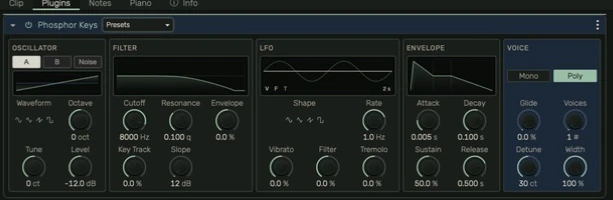
Auto Filter combines a filter response with modulation. Cutoff chooses the frequency and resonance emphasizes the cutoff area. The LFO repeats modulation; the envelope follows input activity. Keep the response graph visible while changing these controls, then judge the result in the mix. Mix blends processed and dry signal.
Find exact controls
Open the relevant stock-device page in the left navigation for its parameter list. Not every compressor, limiter or filter has the same controls or ranges.
Guide for the macOS development build. For changes between versions, see update history. Public installers and final system requirements are not available yet.