Starter
One client, every core tool.
$49/month
or $490 a year, 2 months free
Get started- 1 sub-account
- 5 users, shared across sub-accounts
- 10 active automations, 2,000 runs a month
- AI usage each month
- CRM, inbox, calendars, forms and AI chat
Compa Platform
Give each client a sub-account, decide what it can use, and give your team exactly the access it needs. Roll out the automations that work to every new client, and keep each client's data walled off from the rest.
Have an agency account?Agency login
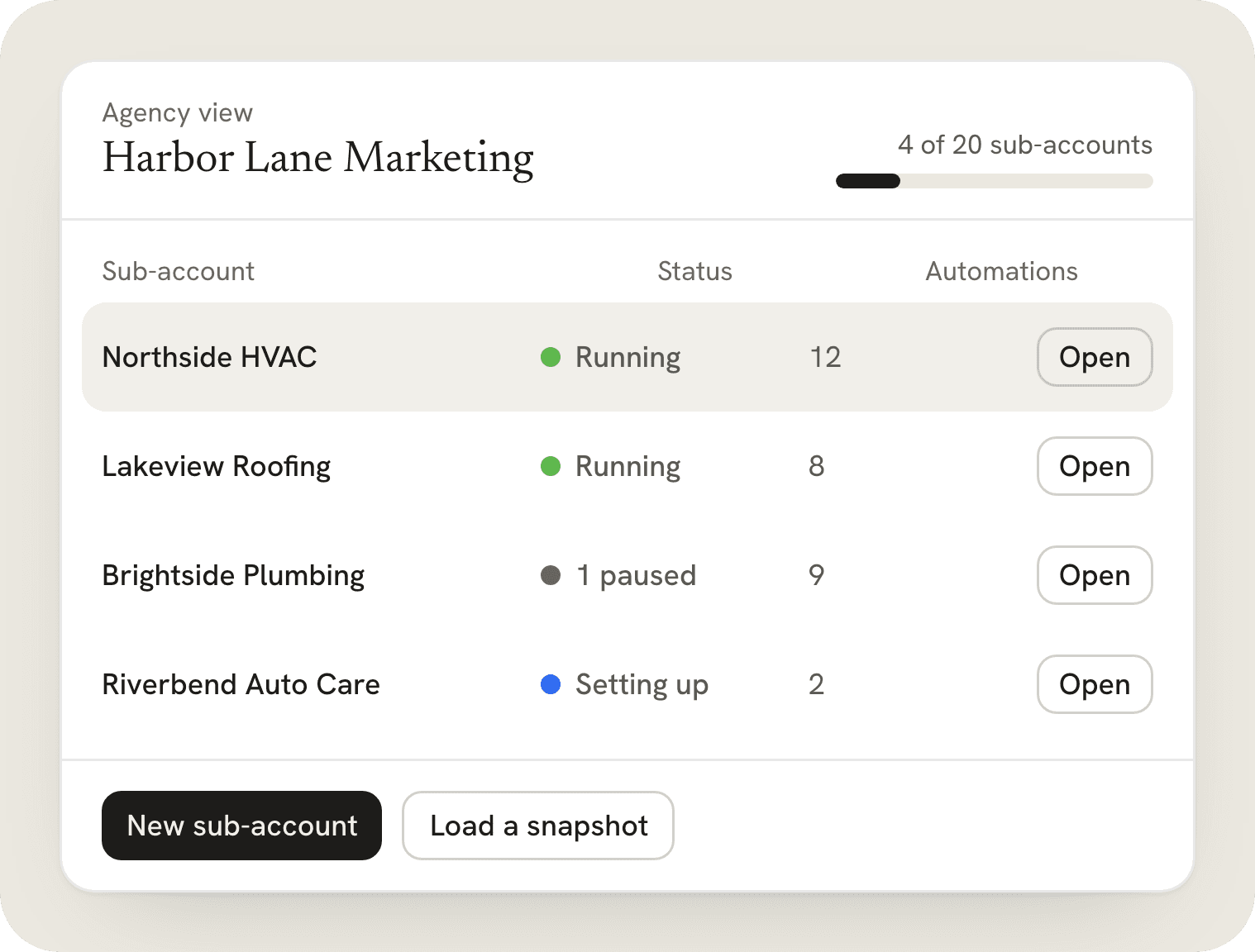
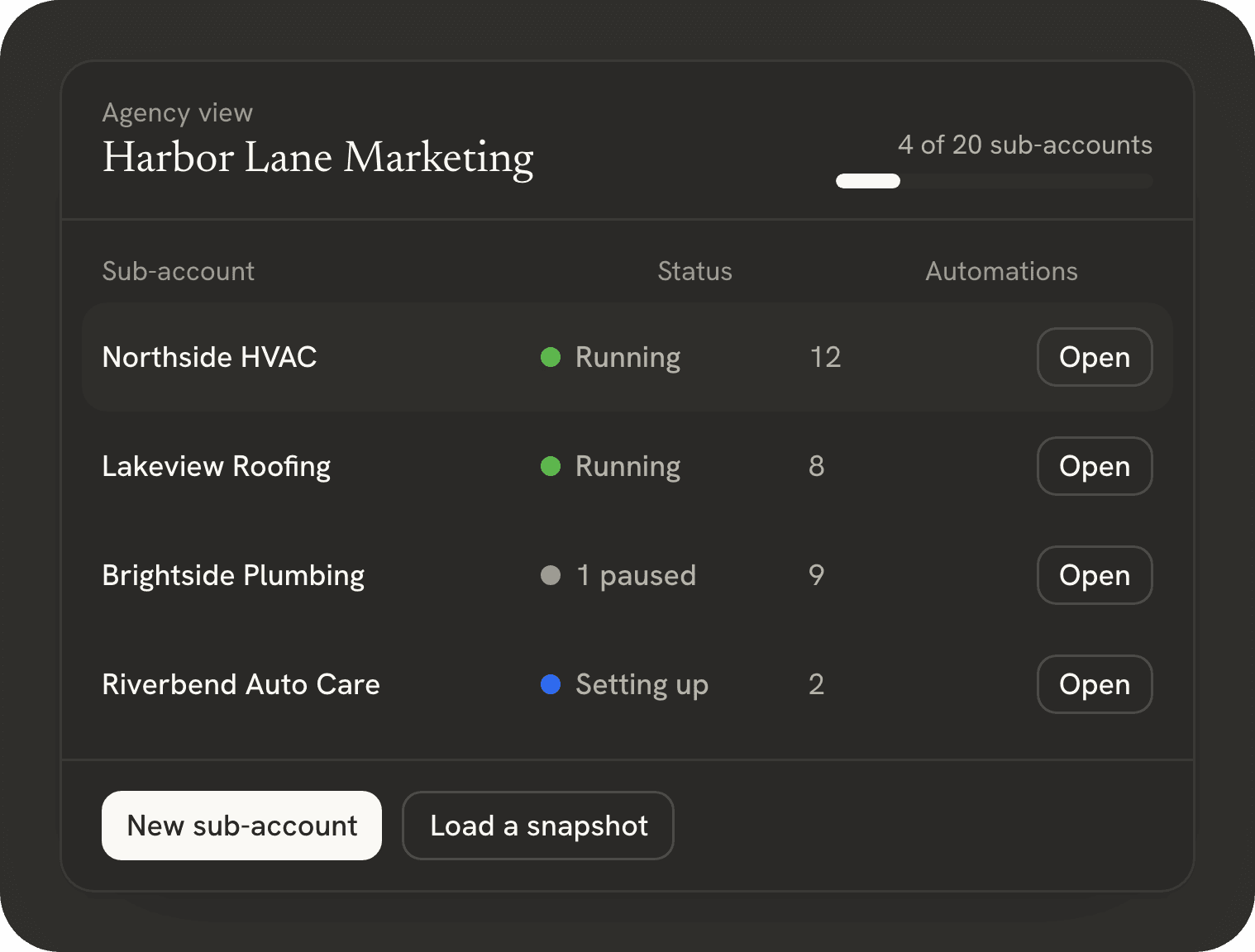
From the first call to your twentieth client, in four steps.
Tell us how many clients you manage and what you use today. We set up your agency account and the plan that fits; signing up and paying online is not available yet.
Create a sub-account for each client business. Load a snapshot so each one starts with your best automations, pipelines, forms and templates.
Invite your team and your clients' staff. Turn on only the areas each person needs, and choose which AI models each client account can use.
Work from one Agency view: switch into any client, watch each one's usage, top up when needed, and add sub-accounts as you grow.
Each client gets a sub-account: a full workspace with its own contacts, phone numbers, calendars, automations and users. You run all of them from one Agency view, which is what makes Compa Platform a CRM and automation platform for agencies rather than a tool for one business.
Open a sub-account's settings to turn modules on or off and cap how much of your account's monthly usage it can use, so one client can't use up everyone's allowance. Each client gets what they pay you for, and nothing they don't.
Modules on or off, per sub-account
A usage cap per sub-account
Every team member gets one switch per area: contacts, conversations, calendars, opportunities, automations, payments and reports. Turn on “Only assigned data” and they see only the contacts and conversations assigned to them.
Set access per person, per sub-account
Your client's own staff can have logins too
Save a sub-account's automations, pipelines, forms and templates as a snapshot. Load it into a new client's account, change the details, and they start with your best setup on day one.
One snapshot per niche, kept up to date
Nothing turns on until you review it
Your plan includes usage each month: AI on every plan, plus calls and email marketing from Pro. The usage meter shows how much of it you have used, and the Agency view breaks it down by sub-account, so you know which clients use what. When a client needs more, top up for them any time.
One meter, split into AI, calls and email
Each sub-account's share in the Agency view
Claude, ChatGPT, Gemini, Grok and more. You choose which AI models each client account can use.
Allow or block each model per client account
Pick the model each AI agent runs on
Your clients never see each other's accounts, and each one can see when IA Compa has been inside theirs.
IA Compa builds the platform and ships improvements to every account. You don't install or migrate anything.
Coming soon
Create keys for your agency and connect your own software to contacts, opportunities and conversations.
Coming soon
Plug Claude, ChatGPT or your own agents into the platform through MCP, so they can read and act on your accounts with the permissions you give them.
Coming soon
More of the tools your clients already use, connected as triggers and steps in automations.
We don't promise dates. This list shows what we are building next.
Plans grow with your sub-accounts, users and usage. Pay monthly, or pay yearly and get 2 months free.
We're onboarding agencies now. Talk to us and we'll set up your account.
One client, every core tool.
or $490 a year, 2 months free
Get startedUp to five clients, with email, voice and payments.
or $990 a year, 2 months free
Get startedTwenty clients, priority support, and API and MCP as they ship.
or $2,990 a year, 2 months free
Get startedAs many sub-accounts as you need, with a dedicated contact.
Priced for your agency
Talk to usPrices in US dollars.
| Feature | Starter | Pro | Agency | Custom |
|---|---|---|---|---|
| Limits | ||||
| Sub-accounts | 1 | 5 | 20, add 5 more for $49.99/mo | As many as you need |
| Users, across all sub-accounts | 5 | 15 | Unlimited | Unlimited |
| Automations and runs each month | 10 active, 2,000 runs/mo | Unlimited, 10,000 runs/mo | Unlimited, 50,000 runs/mo | Custom |
| Usage each month | Included, for AI | 2× Starter, for AI, calls and email | 5× Starter, for AI, calls and email | Custom |
| In every plan | ||||
| CRM: contacts and opportunities | Included | Included | Included | Included |
| Inbox: email and website chat | Included | Included | Included | Included |
| Calendars and booking | Included | Included | Included | Included |
| Forms | Included | Included | Included | Included |
| AI website chatbot | Included | Included | Included | Included |
| AI automation builder | Included | Included | Included | Included |
| Permission switches | Included | Included | Included | Included |
| Growth tools | ||||
| Email marketing | Not included | Included | Included | Included |
| Voice AI | Not included | Included | Included | Included |
| Payments and invoices | Not included | Included | Included | Included |
| Reporting | Basic | Full | Full | Full |
| Your own AI | ||||
| API and MCP for your own AI agents | Not included | Not included | Included (coming soon) | Included (coming soon) |
| Support | ||||
| Support | Priority | Dedicated | ||
Need more sub-accounts? Starter and Pro upgrade to the next plan. On Agency, add 5 at a time for $49.99/mo.
Users are counted across your account and all its sub-accounts. Need more users? Move up a plan.
A run is one contact going through one automation.
Only on the Agency plan. Add as many packs as you need: 25, 30, 35 sub-accounts and up.
Your plan includes usage every month, shown as a simple usage meter. On Starter it covers AI; from Pro, it also covers calls and email marketing. Agencies see how much each sub-account uses and can top up for their clients. If you reach 100%, add more any time: $10, $20 or $50. Your monthly usage refreshes each billing month.
Not yet. We're onboarding agencies directly: talk to us, and we set up your account and plan with you.
Starter is $49 a month for 1 sub-account, Pro is $99 for 5, Agency is $299 for 20, and Custom is priced for your agency. Pay yearly and get 2 months free. Prices are in US dollars.
One workspace for one client business, with its own contacts, phone numbers, calendars, automations and users. Each one is walled off from your other clients.
Users are counted across your account and all its sub-accounts. For more sub-accounts or users, Starter and Pro move up to the next plan; Agency and Custom have unlimited users. On Agency, add 5 sub-accounts at a time for $49.99/mo, as many times as you need. When a usage meter reaches 100%, add more any time: $10, $20 or $50.
Every plan includes usage for AI replies each month, and from Pro also for Voice AI calls and email marketing, shown as one meter from 0 to 100%. The Agency view shows how much each sub-account used, split into AI, calls and email. Top up for any client with $10, $20 or $50; usage refreshes each billing month.
Claude, ChatGPT, Gemini, Grok and more. Gemini Flash is the default, Claude Haiku is on for quick jobs, and premium models like Claude Sonnet start switched off. You choose which AI models each client account can use, and which model each AI agent runs on.
Each client works in its own sub-account under your agency, sees only the features and access you turn on, and never sees your other clients. Tell us what branding you need when we set up your account, and we'll tell you what's available today.
Your agency and the people you give access to. Client accounts are walled off from each other, and IA Compa can open one only with Login As: every change during the session is logged under that person's name, the session ends on its own after an hour, and it shows up in the client's account history.
Yes. Export the contacts and opportunities in any sub-account whenever you want, as a CSV file you keep. To delete an account's data, ask us and we'll remove it.
Talk to us. We set up your agency account and plan, help you add your first clients as sub-accounts, load a snapshot if you want one, and you invite each client to log in to their own sub-account.
We're onboarding agencies now. Tell us how many clients you manage and what you use today, and we'll set up your account and plan.