LM Studio Bionic at a glance
LM Studio Bionic 1.2.1 adds Agent Remote Control over LM Link, its end-to-end encrypted device network: a laptop, dev box or headless cloud VM running the llmster daemon can host agent sessions that you create, manage and continue from your other devices.
Ask your AI about this story
Ask what changed in LM Studio Bionic, LM Link and llmster and what to check before using it in your business. Weigh pricing, how it connects to the tools I already use, setup effort and whether it replaces something I pay for today.
What changed with LM Studio Bionic
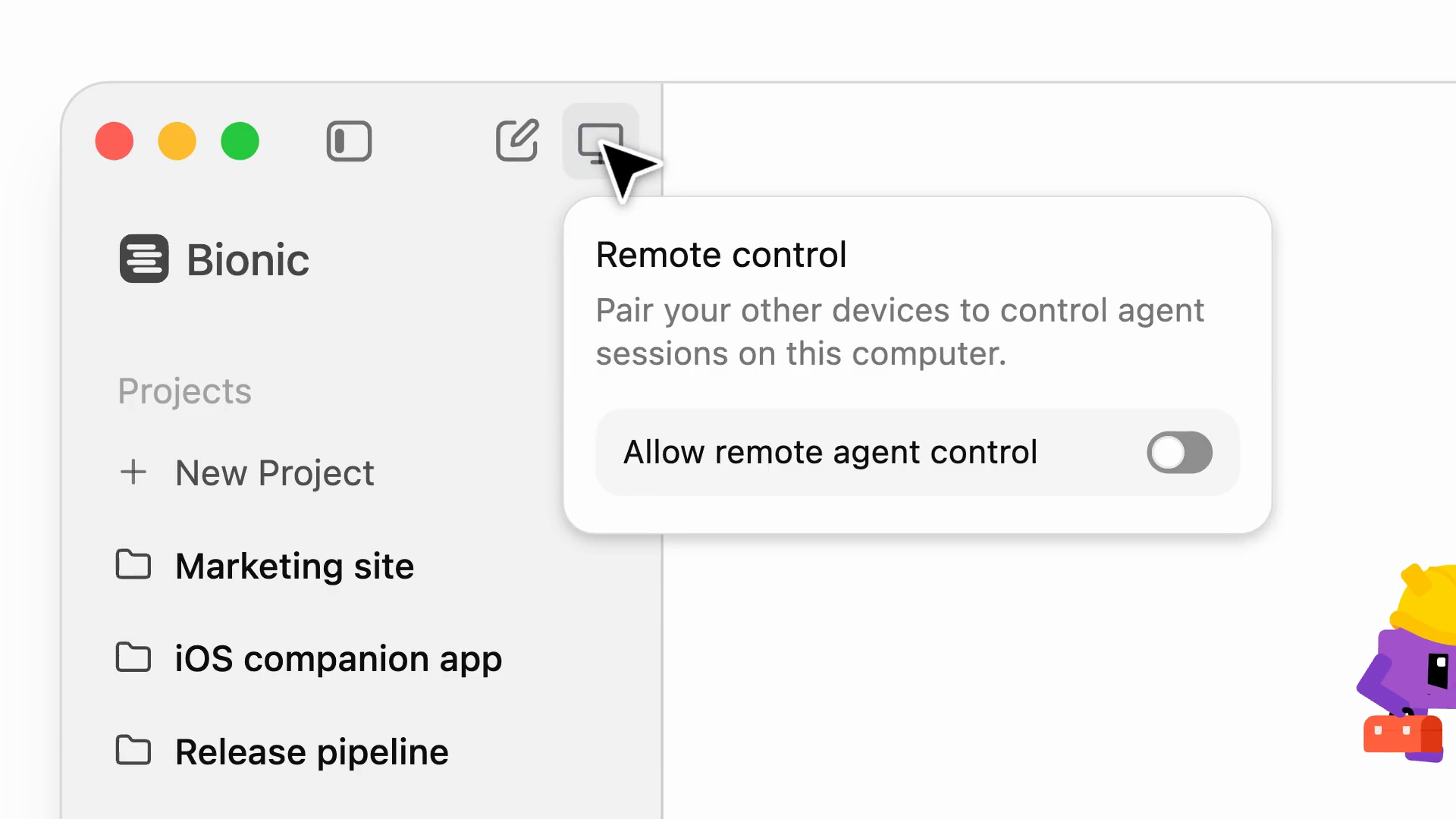
LM Studio released Bionic 1.2.1 on November 16, 2026, adding Agent Remote Control: desktop-to-desktop remote control of Bionic agent sessions over LM Link, the company's end-to-end encrypted transport built in collaboration with Tailscale. Any machine in your device network can act as an agent host — a laptop, a PC, a dev box, or a headless cloud VM running llmster, LM Studio's headless daemon — and you create, manage and continue its projects and sessions from your other devices, with the interface updating in real time. Each host decides for itself: remote control only works after you turn on the “Allow remote agent control” switch in that machine's settings.
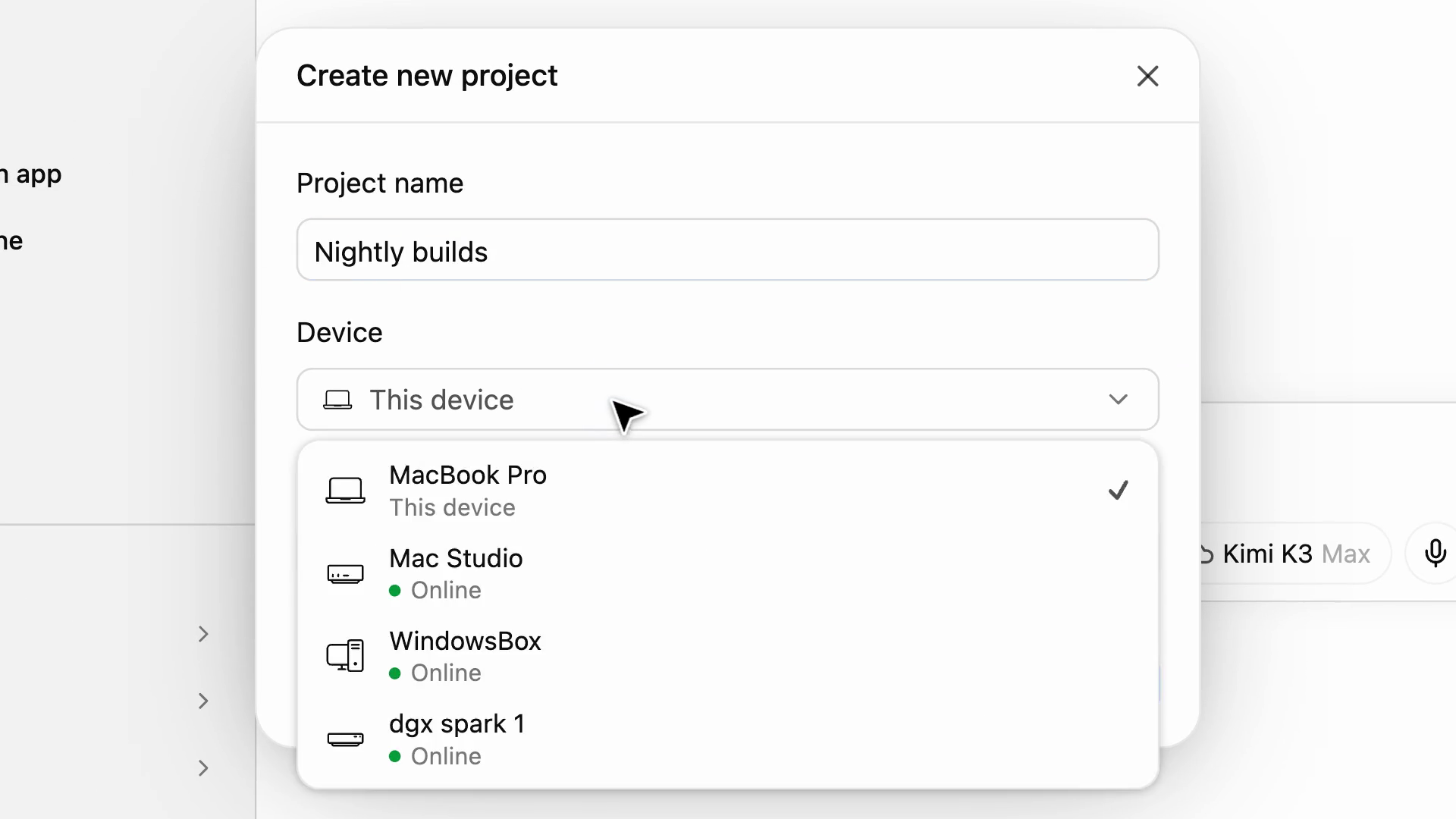
When you create a project, you pick which device it runs on from a list of your machines, with each one's online status shown, and from inside a session you can dispatch work to another machine by typing @ in the composer and choosing a device; Bionic starts a session there, and the remote machine shows which session sent it. The 1.2.1 changelog also adds fast file transfers between agent devices, remote device management in the sidebar, an opt-in beta API for launching assistants headlessly and streaming their progress, MCP tool results that can return images, and llama.cpp 2.76.0 and oMLX 0.4.0 engine packs. Agent Remote Control is a desktop app feature, so no Artificial Analysis or Arena benchmark applies to it.
Why LM Studio Bionic matters for businesses
Why it matters: your team's most powerful machine no longer has to be the one on your desk. A business can leave a desktop or a cloud VM running long agent jobs overnight — builds, tests, performance work — and drive everything from a laptop, closing the lid without stopping the work. Because the sessions run on your own machines over an encrypted link, client code and data stay inside your device network instead of moving to a third-party cloud agent service, and a spare workstation becomes an always-on agent host with no extra subscription.
Put it to work: AI services
Get AI News by email
Verified AI stories, each with its official source, on Monday and Thursday mornings. Add breaking news to hear about the biggest ones as soon as we publish them.
Every story links its official source
Free, in English or Spanish
Unsubscribe with one click, any time
Sources for this story
- Introducing Agent Remote Control — LM Studio Blog (opens in a new tab)Official
LM Studio · lmstudio.ai
- Bionic 1.2.1 changelog — LM Studio (opens in a new tab)Official
LM Studio · lmstudio.ai
Last verified: . IA Compa summarizes public announcements for business readers. We are not affiliated with the companies mentioned. Always confirm details, pricing, and availability with the official source.
- #lm-studio
- #lm-studio-bionic
- #agent-remote-control
- #lm-link
- #llmster
- #coding-agents
- #remote-agents
- #local-ai